There is a lot of paperwork involved in owning land in Bangladesh. Whether you’re buying property, settling a family dispute or just ensuring your name is listed correctly, you’ll need to access your land record, known locally as a Porcha. A few years back, one had to go to the local Land Office (AC Land Office), stand in long queues and sometimes even approach middlemen who charged extra fees to get this document.
Today, the government of Bangladesh has made the process much simpler. You can check your Bangladesh land record (Porcha) online from your phone or computer, free of cost, by Mouza and Khatian number. In this guide, we will tell you exactly how to do it step by step.
Porcha: What It Is and Why You Need It
A Porcha is a government-issued document that certifies ownership of land. Some important information included is:
•Name(s) of the owner(s) (in the case of joint ownership)
•Khatian Number (unique record number of a plot or group of plots)
•The Mouza name (smallest administrative land unit in Bangladesh)
•The Dag number (plot number in a Mouza)
•Land type, area and classification
You cannot sell land, get a bank loan against property or settle land disputes in court without a valid Porcha. Banks, even those that follow Bangladesh Bank guidelines for loan documentation, routinely require verified land records before approving any property-backed financing.
Understanding Mouza and Khatian Number
Before you check your record online, you should know two terms:
•Mouza: It is the smallest unit of revenue land in Bangladesh. Each land piece belongs to a particular Mouza. The name is normally printed in old documents or can be obtained from your local Union Parishad office.
•Khatian Number: Khatian number is a unique number given to a land owner or group of owners in a particular Mouza. It’s like the account number of your land records.
If you do not have these details, look up any old land deed (Dastavez), tax receipt (Khajna receipt) or ask an elder family member who may remember them
How to See Bangladesh Land Record (Porcha) Online: Step by Step
The official platform is the Land Ministry’s epochal service available at eporcha.gov.bd. Here’s how to use it:
Step 1: Visit the website e-porcha.gov.bd on a mobile browser or a computer. The site runs on both Android and iOS phones. No app download needed.
Step 2: Select your district and division. Select your Division, District, Upazila and Mouza from the drop-down list.
Step 3: Enter your Khatian number. Type your Khatian number in the search box. If you don’t have the Khatian number, you can also search with the Dag (plot) number.
Step 4: See your land record. Your Porcha details will appear on the screen. You can immediately read the ownership information, land area and the Dag details.
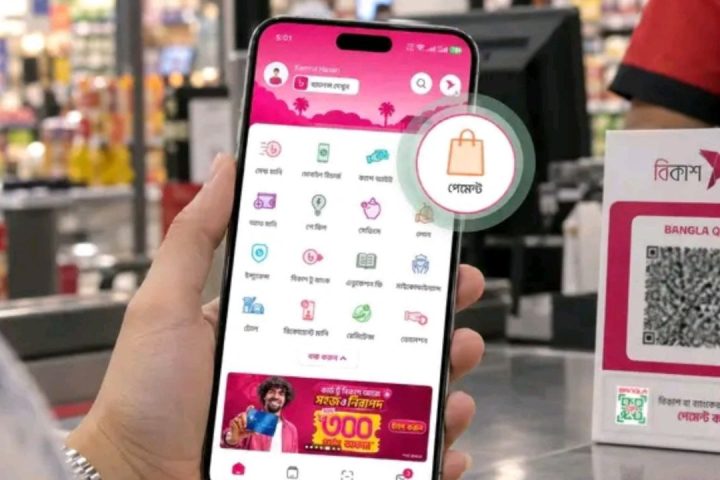
Step 5: Download/Print. You can apply online (for a small fee) to get an official certified copy. It accepts payment through mobile banking services such as bKash and Nagad, making it easy even for users without a bank account.
Quick List Before You Begin
•Your Mouza name (from old documents or Union Parishad)
•Your Khatian or Dag No.
•A Smartphone or a computer with internet
•bKash / Nagad account (only if you want a certified printout)
•Your national ID number (may be required for applications for certified copies)
Common problems and their solutions
Record not found: Double check the spelling of your Mouza name. Sometimes names are recorded in slightly different forms.
Wrong name of the owner: If you have done a legal transfer and your name is missing or wrong, you will have to get the Namjari (mutation) done at your local AC Land Office to get the record changed.
Unable to access the website: Try another browser or use mobile data instead of Wi-Fi. In case the site is down, you can contact the Land Ministry helpline number (16122) for help.
Discover More Stories Worth Your Time
How Can You Report a Power Outage to BPDB?
Learn how to report outages and get electricity support during heavy rain.
How Can You Apply for Disability Benefits in Bangladesh?
Check eligibility, required documents, and the application process.
How Can Students Open a Bank Account in Bangladesh?
Explore eligibility, required documents, and simple account opening steps.
What Does the New BERC Decision Mean for You?
Understand the revised electricity tariff and its impact on households.
How Do Mobile Emergency Alerts Work in Bangladesh?
Learn how real-time alerts keep you informed during emergencies and disasters.
Conclusion: Get a Hold of Your Land Record Today
Now you can check your Bangladesh land record (Porcha) online with Mouza and Khatian number, which is faster and safer. No more dealing with brokers or spending hours in a government office. Check ownership, download records, and protect your property rights from home, all with your Mouza name, Khatian number and a mobile internet connection.
Visit eporcha.gov.bd, provide your details and have your land record in minutes.
Summary
Bangladesh’s land record system is now online. You can check your Porcha, verify ownership, and download documents using your Mouza and Khatian number through the government’s official land service portal — no office visit required.